MongoDB
Add a MongoDB database as an external catalog in Altertable to query its collections with SQL alongside your other data sources. Each collection in the connected database appears as a table.
Prerequisites
Allow Altertable egress IPs
If inbound traffic is restricted—including MongoDB Atlas IP access lists—allow Altertable's egress IP addresses so Workers can connect.
For Atlas:
- Open the Atlas project and go to Network Access
- Click Add IP Address
- Add each egress IP address (Atlas accepts the address or
address/32) - Confirm the entries are active before you test the catalog in Altertable
You can also connect a self-hosted MongoDB server through an SSH tunnel.
Create a database user
Use a MongoDB database user, not your Atlas organization login. In Atlas, create the user under Database Access with read access to the database you will query.
Connecting to Altertable
To add a new MongoDB external catalog:
- Navigate to the Catalogs section in the dashboard
- Click New catalog
- Select MongoDB as the engine
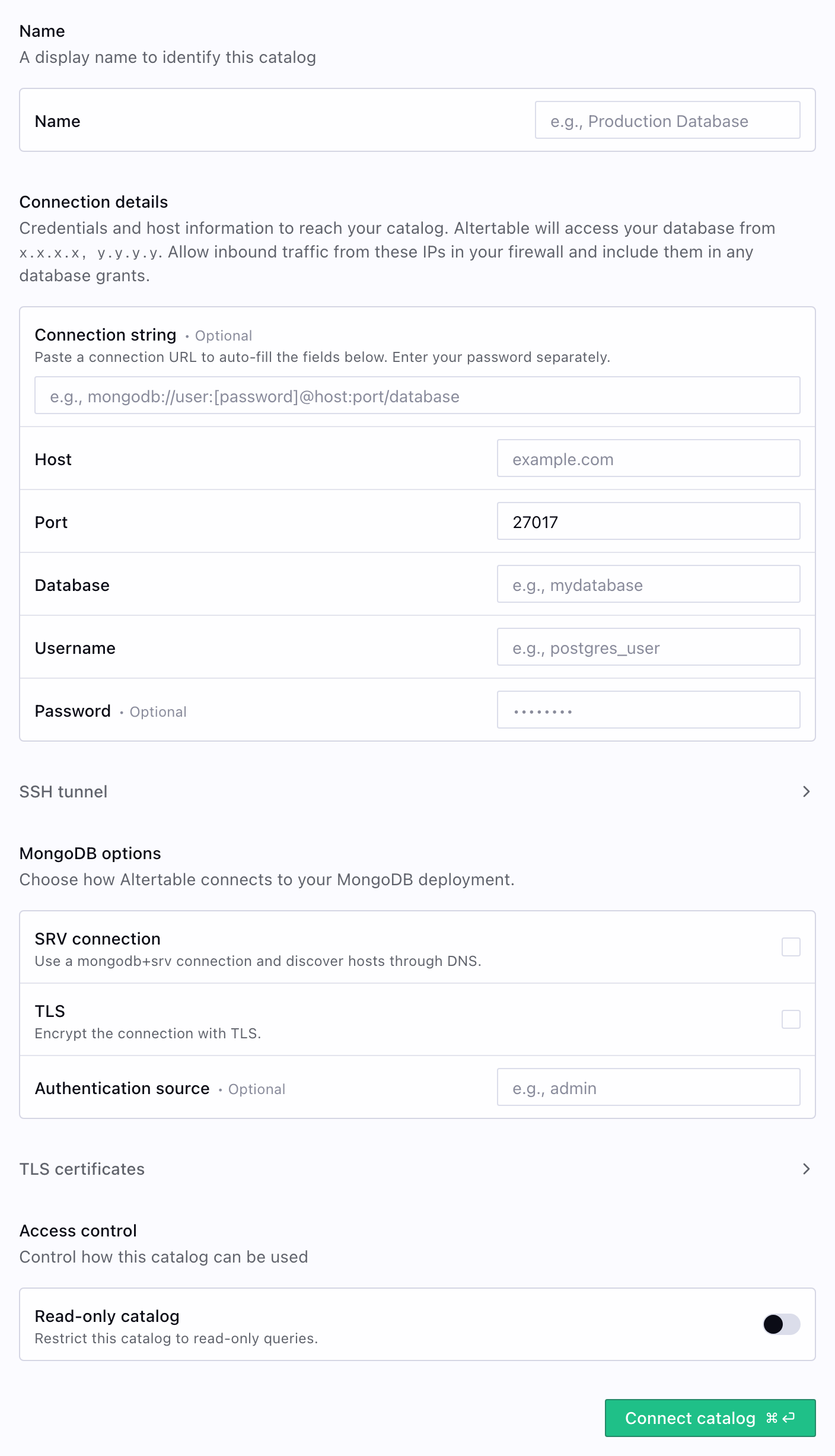
- Fill in the connection details:
- Connection string (optional): Paste a
mongodb://ormongodb+srv://URL to fill Host, username, SRV, and related options. Enter the password separately. Atlas connection strings often omit the database name, so you still need to set Database. - Host: The hostname. For Atlas, use the hostname from the connection string, such as
cluster0.xxxxx.mongodb.net—withoutmongodb+srv://or credentials. - Port: Default
27017. Leave it empty when SRV connection is enabled. - Database: The MongoDB database whose collections you want to query (for example,
sample_mflix). Collections in that database appear as tables. - Username: The database user
- Password: The database user password
- SRV connection: Use a
mongodb+srvconnection and discover hosts through DNS - TLS: Encrypt the connection with TLS. Atlas SRV connections already use TLS, so you typically leave this off unless you need a custom CA.
- Authentication source (optional): Database where the user is defined, often
admin - CA certificate (optional): Custom CA used to verify the MongoDB server
- Connection string (optional): Paste a
- Click Save
Once added, collections from the connected database show up as tables in the catalog browser. You can query them with DuckDB SQL:
SELECT * FROM mongo.sample_mflix.comments LIMIT 100;
If the catalog is named mongo and the database is sample_mflix, the fully qualified table name is mongo.sample_mflix.comments.
Atlas mapping
Atlas | Altertable |
|---|---|
Cluster hostname ( cluster0.xxxxx.mongodb.net) | Host |
Database ( sample_mflix) | Database (schema in the catalog browser) |
Collection ( comments) | Table |
Database user | Username and Password |