Connect a Postgres database
Add your Postgres database as an external catalog in Altertable to query and analyze it alongside your other data sources.
Before connecting, make sure Altertable can reach your source. Configure network access if it requires an IP allowlist or SSH tunnel. Use credentials for the source database, rather than Altertable lakehouse credentials.
Connect the catalog
- Open Catalogs and choose New catalog.
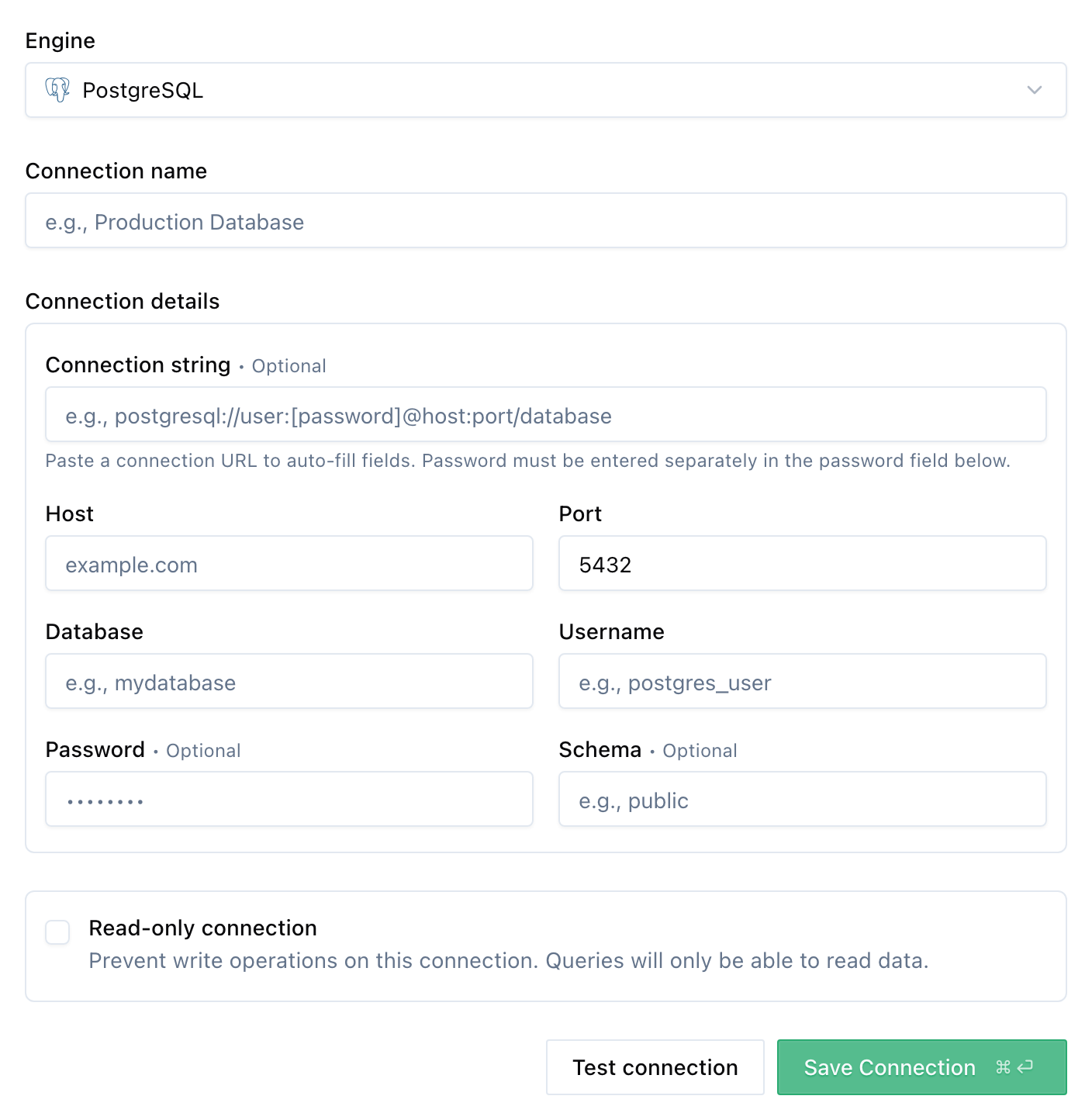
- Select PostgreSQL as the engine.
- Fill in the connection details:
- Host: The hostname or IP address of your Postgres server
- Port: The port number (default: 5432)
- Database: The name of the database to connect to
- Schema (optional): The name of the schema to connect to
- Username: Your Postgres username
- Password: Your Postgres password
- Choose Connect to create the catalog.
Verify the connection
Open SQL Explorer and inspect the new catalog's schemas and tables. Replace the example identifiers with names from your source:
SQL
SELECT * FROM my_source.my_schema.my_table LIMIT 10;
Compare the returned rows with the source. You can then join tables across catalogs.