BigQuery
Add your BigQuery project as an external catalog in Altertable to query and analyze it alongside your other data sources.
Prerequisites
Before connecting BigQuery to Altertable, you'll need to configure your Google Cloud project:
1. Enable the BigQuery API
Enable the BigQuery API within your Google Cloud project.
2. Check Organization Policies
Ensure your organization doesn't have the constraints/iam.disableServiceAccountKeyCreation policy enforced:
# Check at project levelgcloud resource-manager org-policies describe constraints/iam.disableServiceAccountKeyCreation --project=PROJECT_ID# Or check at organization levelgcloud resource-manager org-policies describe constraints/iam.disableServiceAccountKeyCreation --organization=ORG_ID
If enforced, you can disable it with:
gcloud resource-manager org-policies disable-enforce constraints/iam.disableServiceAccountKeyCreation --project=PROJECT_ID
3. Create a Service Account
Create a service account (learn how to create and download a service account key) and grant it roles for the access you need.
Read-only access (default)
Grant these 3 roles:
- BigQuery Data Viewer (
roles/bigquery.dataViewer): Read data and metadata. Grant it on the datasets Altertable needs to read. - BigQuery Job User (
roles/bigquery.jobUser): Run jobs, including queries. Grant it on the project used to run queries. - BigQuery Read Session User (
roles/bigquery.readSessionUser): Create and use read sessions through the BigQuery Storage Read API. Grant it on the project used to run queries.
Read-write access
Grant these 3 roles when Altertable also needs to write data:
- BigQuery Data Editor (
roles/bigquery.dataEditor): Read and write data, and create, update, and delete tables. Grant it on the datasets Altertable needs to read and write, or on the project if it also needs to create datasets. - BigQuery Job User (
roles/bigquery.jobUser): Run jobs, including queries. Grant it on the project used to run queries. - BigQuery Read Session User (
roles/bigquery.readSessionUser): Create and use read sessions through the BigQuery Storage Read API. Grant it on the project used to run queries.
See Google Cloud's BigQuery IAM roles for the full permissions of each role.
If you cannot grant the roles, ensure your admin user has the orgpolicy.policyAdmin role:
gcloud organizations add-iam-policy-binding ORG_ID \--member="user:YOUR_ADMIN_USER_EMAIL" \--role="roles/orgpolicy.policyAdmin"
Grant missing roles with:
gcloud projects add-iam-policy-binding PROJECT_ID \--member="serviceAccount:SERVICE_ACCOUNT_NAME@PROJECT_ID.iam.gserviceaccount.com" \--role="THE_MISSING_ROLE"
Validate the roles with:
gcloud projects get-iam-policy PROJECT_ID \--flatten="bindings[].members" \--filter="bindings.members:serviceAccount:SERVICE_ACCOUNT_NAME@PROJECT_ID.iam.gserviceaccount.com" \--format="table(bindings.role)"
Connecting to Altertable
To add a new BigQuery external catalog:
- Navigate to the Catalogs section in the dashboard
- Click New catalog
- Select BigQuery as the engine
- Fill in the connection details:
- Name: A descriptive name for your catalog
- Service Account Credentials: Upload your service account JSON key file
- Click Save
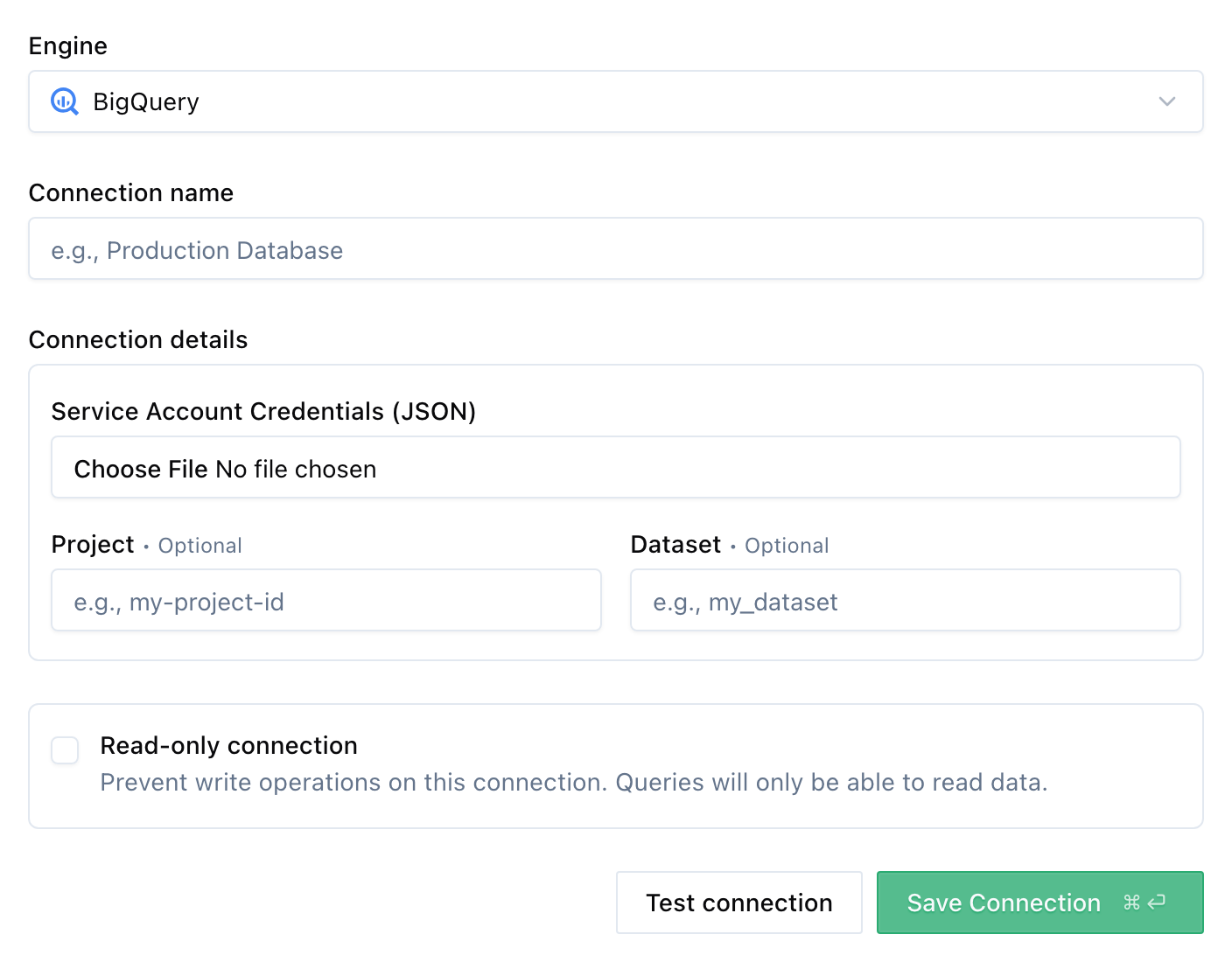
Once added, you can start querying your BigQuery data through Altertable's SQL engine.