Funnel Insights
Track user progression through sequential events to measure conversion rates and identify drop-offs.
Best for:
- Signup and onboarding flows
- Checkout and purchase processes
- Feature adoption journeys
- Multi-step workflows
Example use cases:
- "What percentage of users complete our signup flow?"
- "Where do users drop off in the checkout process?"
- "How long does it take users to activate our key feature?"
Creating Funnels
A funnel requires at least 2 events that represent sequential steps in a user journey:
// Example: Type-safe funnel tracking with React SDKimport {type FunnelMapping,useAltertable,} from '@altertable/altertable-react';interface CheckoutFunnelMapping extends FunnelMapping {checkout: [{ name: 'Product Viewed'; properties: { product_id: string } },{ name: 'Added to Cart'; properties: { quantity: number } },{ name: 'Checkout Started'; properties: { cart_value: number } },{name: 'Purchase Completed';properties: { order_id: string; amount: number };},];}function CheckoutFlow() {const { selectFunnel } = useAltertable<CheckoutFunnelMapping>();const { trackStep } = selectFunnel('checkout');const handleProductView = (productId: string) => {trackStep('Product Viewed', { product_id: productId });};const handleAddToCart = (quantity: number) => {trackStep('Added to Cart', { quantity });};const handleCheckout = (cartValue: number) => {trackStep('Checkout Started', { cart_value: cartValue });};const handlePurchase = (orderId: string, amount: number) => {trackStep('Purchase Completed', { order_id: orderId, amount });};}
Common Funnel Examples
Signup Funnel
- Landing Page Viewed
- Signup Started
- Email Verified
- Profile Completed
Purchase Funnel
- Product Viewed
- Added to Cart
- Checkout Started
- Purchase Completed
Feature Adoption Funnel
- Feature Discovered
- Feature Clicked
- Feature Configured
- Feature Used Successfully
Funnel Parameters
- Date range: Period to analyze (e.g., last 30 days)
- Event filters: Filter events by properties (e.g.,
button_name = "Sign Up") - User filters: Filter by user traits (e.g.,
plan = "pro")
Key Funnel Metrics
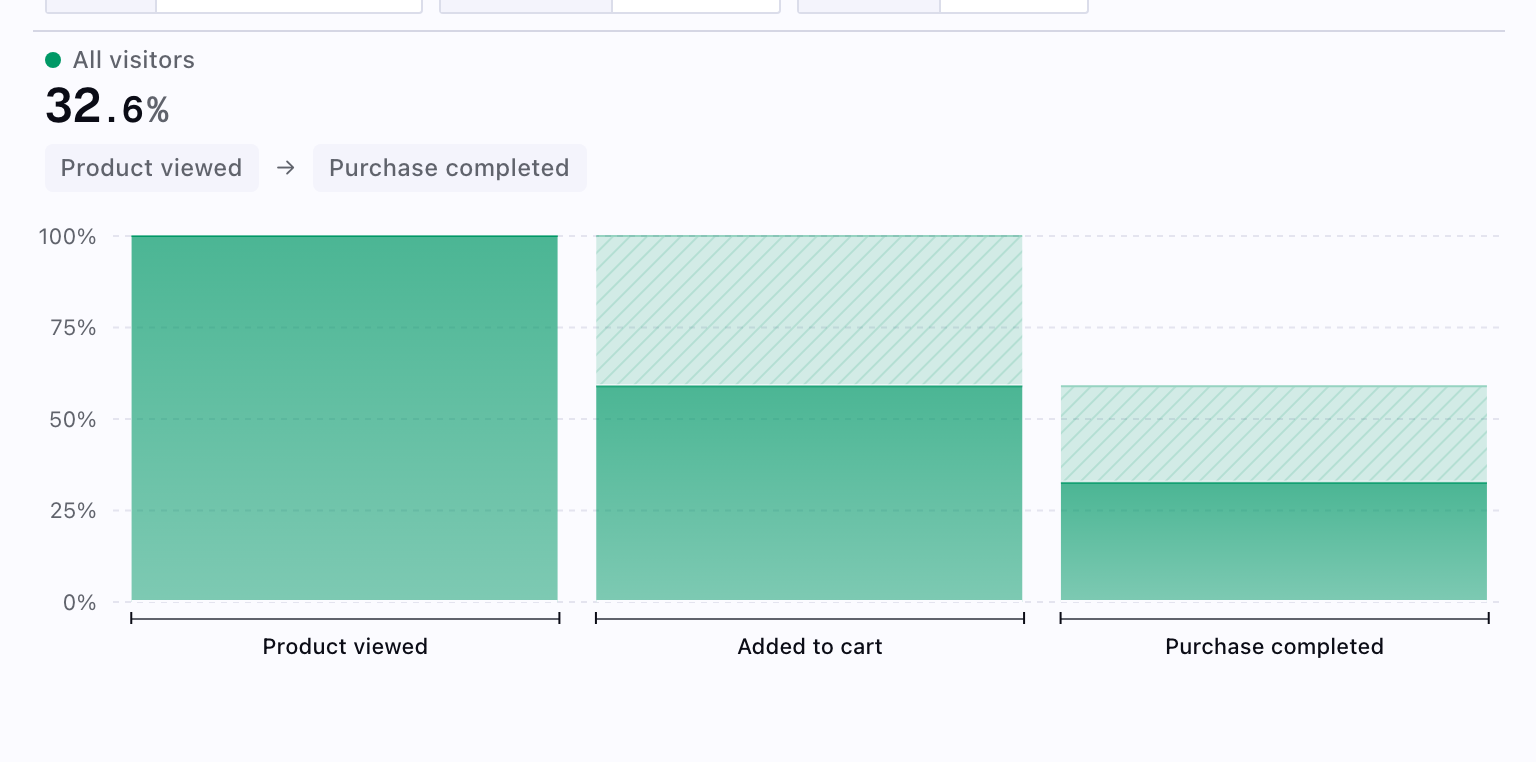
- Step count: Number of users who completed each step
- Conversion rate: Percentage who progressed to the next step
- Overall conversion: Percentage who completed entire funnel
- Drop-off rate: Percentage who didn't continue
Querying Funnel Data
Funnel data is stored in your lakehouse and can be queried directly using SQL insights. You can analyze conversion rates over time, identify drop-off points, and calculate time-to-convert metrics by querying the events table with appropriate filters and aggregations.
Learn more about tracking events to capture the data you need for funnel analysis.