Semantic Insights
Query structured data models using business-friendly metrics and dimensions without writing SQL.
Best for:
- Business metric reporting
- KPI dashboards
- Cross-functional analytics
- Model-based queries
Example use cases:
- "What's our monthly recurring revenue by region?"
- "Show customer acquisition cost by marketing channel"
- "Track product adoption metrics over time"
Understanding the Semantic Layer
The semantic layer provides a business-friendly abstraction over your raw data:
- Metrics: Pre-defined calculations (revenue, conversion rate, DAU)
- Dimensions: Attributes to slice data by (region, plan type, channel)
- Time dimensions: Date/time groupings (day, week, month, quarter)
- Relationships: How tables connect (users → orders → products)
Creating Semantic Insights
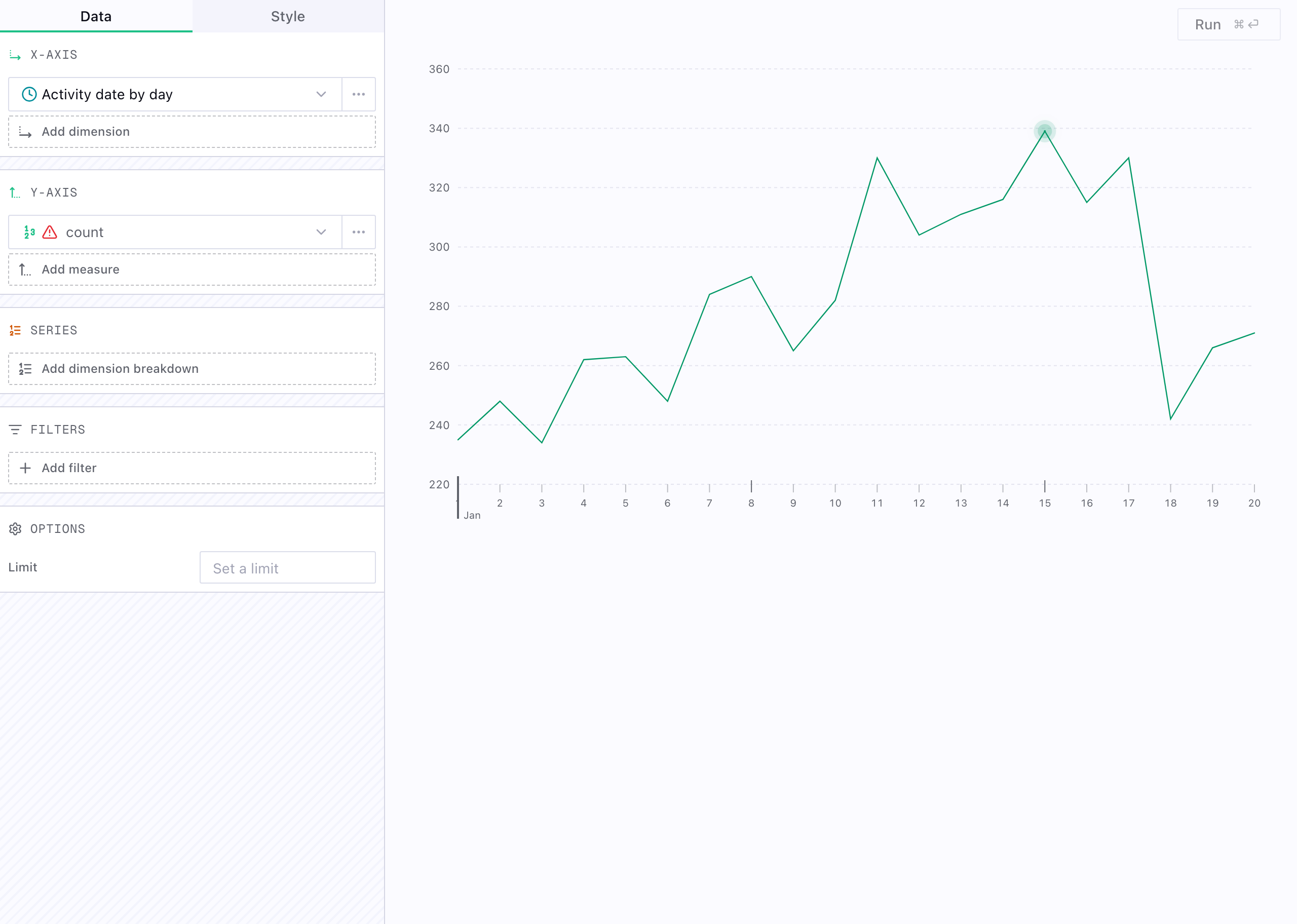
Reference semantic models to build queries without SQL:
Descriptions and comments
The semantic layer is also where business meaning lives. Metric definitions, dimensions, relationships, and field descriptions help the insight builder and agents understand what each field represents instead of treating your warehouse as unlabeled tables.
Model trust and endorsements
Semantic models can also communicate whether they are ready for broader use:
- Draft: still being shaped or reviewed
- Verified: ready for wider reporting and analysis, and prioritized when agents choose which semantic models to use
- Excluded: intentionally hidden from normal use and not offered to agents at all
These endorsements help teams and agents distinguish exploratory models from trusted business definitions.
Semantic Model Structure
Semantic models define reusable business logic:
table: salesschema: analyticsdescription: Sales and revenue metricsmeasures:- as: revenuetype: sumsql: amount- as: order_counttype: count_distinctsql: order_id- as: avg_order_valuetype: averagesql: amountdimensions:- as: product_categorytype: stringcolumn: category- as: customer_segmenttype: stringcolumn: segment- as: order_datetype: datetimecolumn: created_at
Benefits of Semantic Layer
- Consistency: Everyone uses the same metric definitions
- Accessibility: No SQL knowledge required
- Governance: Centralized business logic
- Reusability: Define once, use everywhere
- Type safety: Validated metrics and dimensions
Querying Semantic Models
Semantic queries generate SQL from your selected metrics, dimensions, and filters. The semantic layer handles joins, aggregations, and time groupings so you can focus on model design and analysis.
For more complex queries that require custom logic, consider using SQL insights instead.