
Give security agents the full event history
Investigate beyond the alert
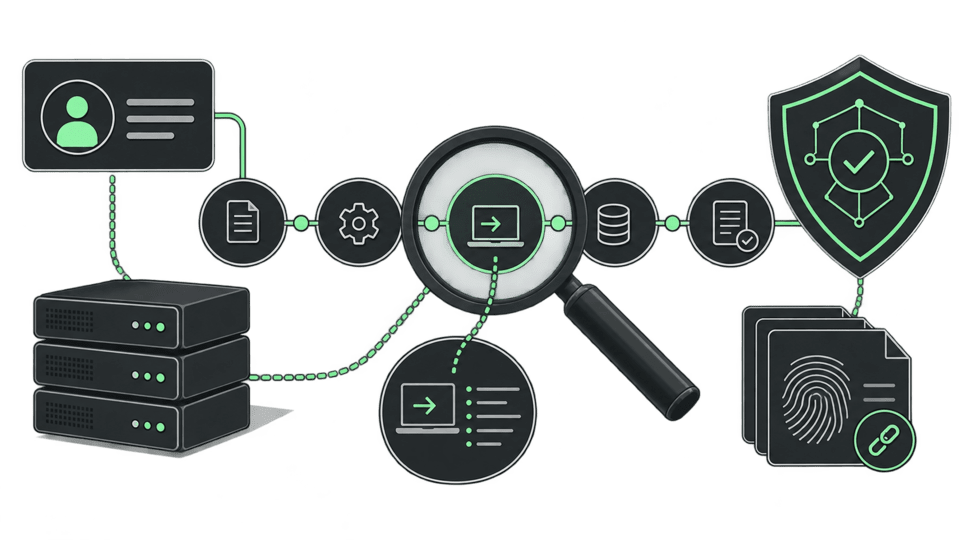
Keep security event history queryable in the lakehouse. Correlate activity across time, join it with live operational context, and let analysts and agents investigate the same evidence alongside your existing SIEM.
Detect sequences in SQL
Find ordered security event sequences, bounded by time and partitioned by the subject under investigation, with MATCH_RECOGNIZE. Define the steps, partition keys, and time limit in the query.

Group activity into sessions
Use SESSIONIZE to group events by identity or host and split activity after an inactivity gap. Keep each event or return a summary of each burst.
Connect the evidence to its owner
Join security events with identity records, asset owners, and operational data through federated SQL. Give investigators the account and infrastructure context behind a match.
Give agents governed access
Let SOC agents query event history and follow up on suspicious sequences through MCP. Scope access to the data they need and share the definitions that make results interpretable.
From event history to investigation context
Keep the full sequence visible, correlate it with the systems and people behind it, and give agents a grounded starting point.
01
Preserve the sequence
Keep events ordered by subject and time, with the full history available for review.
02
Find the shape
Use session gaps and ordered patterns to surface activity worth investigating.
03
Ground the next step
Join identity, asset, and operational context before an agent acts on a finding.
WITH sessions AS (SELECT * FROM security_eventsSESSIONIZE (PARTITION BY subject_idORDER BY occurred_at, event_idGAP INTERVAL 30 MINUTE))SELECT * FROM sessionsMATCH_RECOGNIZE (PARTITION BY subject_id, session_idORDER BY occurred_at, event_idMEASURESFIRST(A.occurred_at) AS sequence_start,C.occurred_at AS sequence_end,COUNT(A.*) AS failed_attemptsONE ROW PER MATCHPATTERN (A{3,} B C) WITHIN INTERVAL 15 MINUTEDEFINEA AS event_type = 'login_failed',B AS event_type = 'login_succeed',C AS event_type = 'changed_password')ORDER BY subject_id, session_id, sequence_start;
This example uses a security_events table with subject_id, occurred_at, event_id, and event_type columns. A gap longer than 30 minutes starts a new session. The pattern finds three or more failed logins, a successful login, and a password change within 15 minutes.
SQL reference: MATCH_RECOGNIZE · SESSIONIZE
Engineering: Row pattern benchmarks · Session window benchmarks
Explore the rest of the platform
More workloads on the same engine, governance, and pricing.
Lakehouse
Query live data across systems with DuckDB-powered execution, open storage, and predictable economics. Build on one context lakehouse instead of another warehouse-centered stack.
Cousteau

Investigate product changes across events, logs, customer data, and code. Cousteau brings back what changed, why, and who is affected.

Self-serve BI
Give every team live dashboards, shared metrics, and agent-assisted exploration on the same governed data foundation.

Build security investigations on the full history
DuckDB workers on open formats, federated SQL across your existing systems,
and an MCP server for agents — at flat monthly pricing.