BigQuery
Add your BigQuery project as an external catalog in Altertable to query and analyze it alongside your other data sources.
Prerequisites
Before connecting BigQuery to Altertable, you'll need to configure your Google Cloud project:
1. Enable the BigQuery API
Enable the BigQuery API within your Google Cloud project.
2. Check Organization Policies
Ensure your organization doesn't have the constraints/iam.disableServiceAccountKeyCreation policy enforced:
# Check at project levelgcloud resource-manager org-policies describe constraints/iam.disableServiceAccountKeyCreation --project=PROJECT_ID# Or check at organization levelgcloud resource-manager org-policies describe constraints/iam.disableServiceAccountKeyCreation --organization=ORG_ID
If enforced, you can disable it with:
gcloud resource-manager org-policies disable-enforce constraints/iam.disableServiceAccountKeyCreation --project=PROJECT_ID
3. Create a Service Account
Create a service account (learn how to create and download a service account key) and grant it the following three roles:
roles/bigquery.dataViewerroles/bigquery.jobUserroles/bigquery.readSessionUser
If you cannot grant the roles, ensure your admin user has the orgpolicy.policyAdmin role:
gcloud organizations add-iam-policy-binding ORG_ID \--member="user:YOUR_ADMIN_USER_EMAIL" \--role="roles/orgpolicy.policyAdmin"
Grant missing roles with:
gcloud projects add-iam-policy-binding PROJECT_ID \--member="serviceAccount:SERVICE_ACCOUNT_NAME@PROJECT_ID.iam.gserviceaccount.com" \--role="THE_MISSING_ROLE"
Validate the roles with:
gcloud projects get-iam-policy PROJECT_ID \--flatten="bindings[].members" \--filter="bindings.members:serviceAccount:SERVICE_ACCOUNT_NAME@PROJECT_ID.iam.gserviceaccount.com" \--format="table(bindings.role)"
Connecting to Altertable
To add a new BigQuery external catalog:
- Navigate to the Catalogs section in the dashboard
- Click New catalog
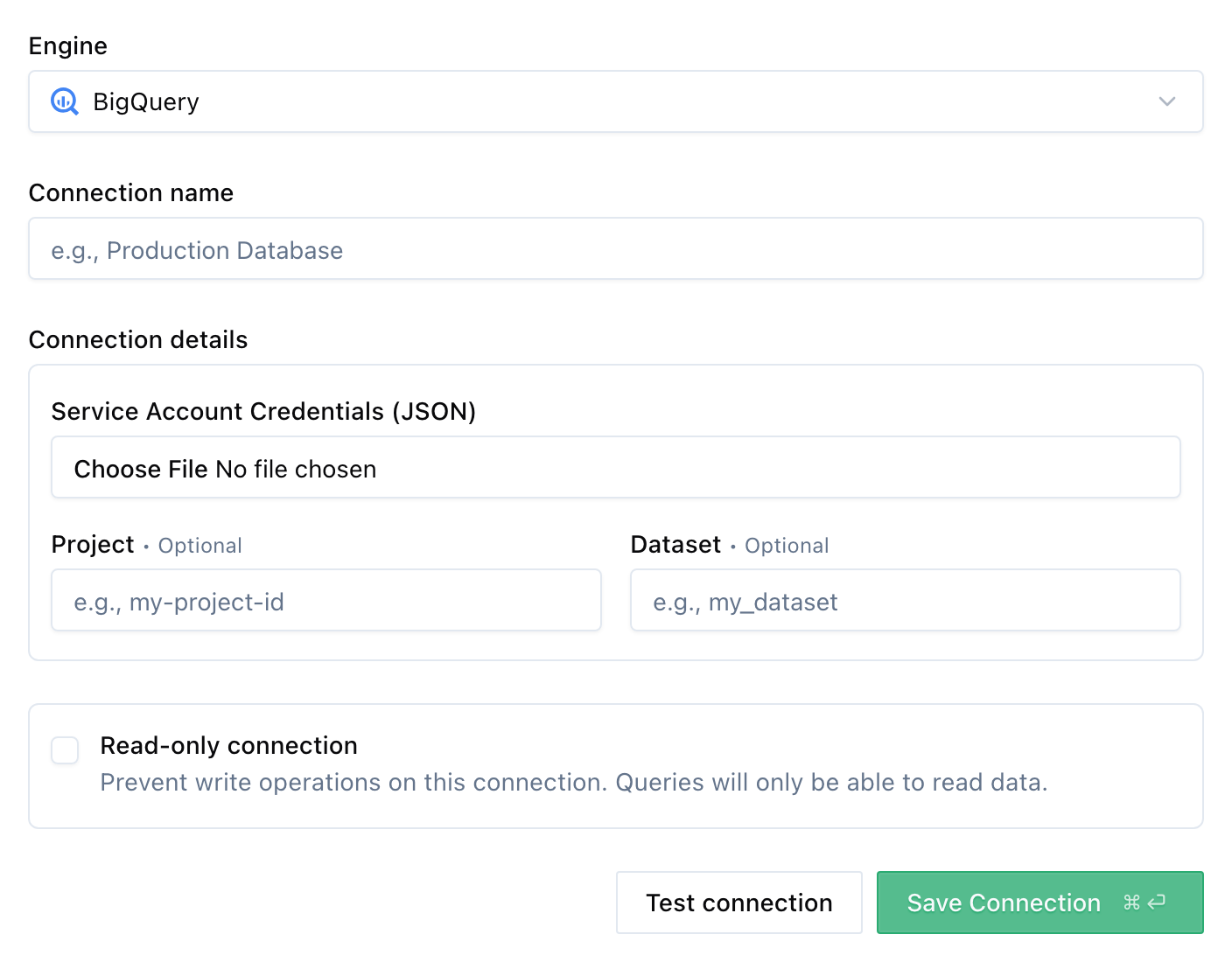
- Select BigQuery as the engine
- Fill in the connection details:
- Name: A descriptive name for your catalog
- Service Account Credentials: Upload your service account JSON key file
- Click Save
Once added, you can start querying your BigQuery data through Altertable's SQL engine.