Insights
Insights are the primary way to create persistent visualizations and analyses in Altertable. They are saved analytics views that help you track key metrics, understand trends, and make data-driven decisions.
What are Insights?
Insights transform raw data into actionable visualizations by:
- Query logic: query your lakehouse data using predefined logic
- Visualization types: support charts, tables, and metrics
- Refresh: refresh automatically or on-demand
- Sharing: share with teams and embed in external tools
Insight Types
Altertable offers semantic and SQL insight types for lakehouse data. For product-behavior analyses, see Product Analytics query data.
1. Semantic Insights
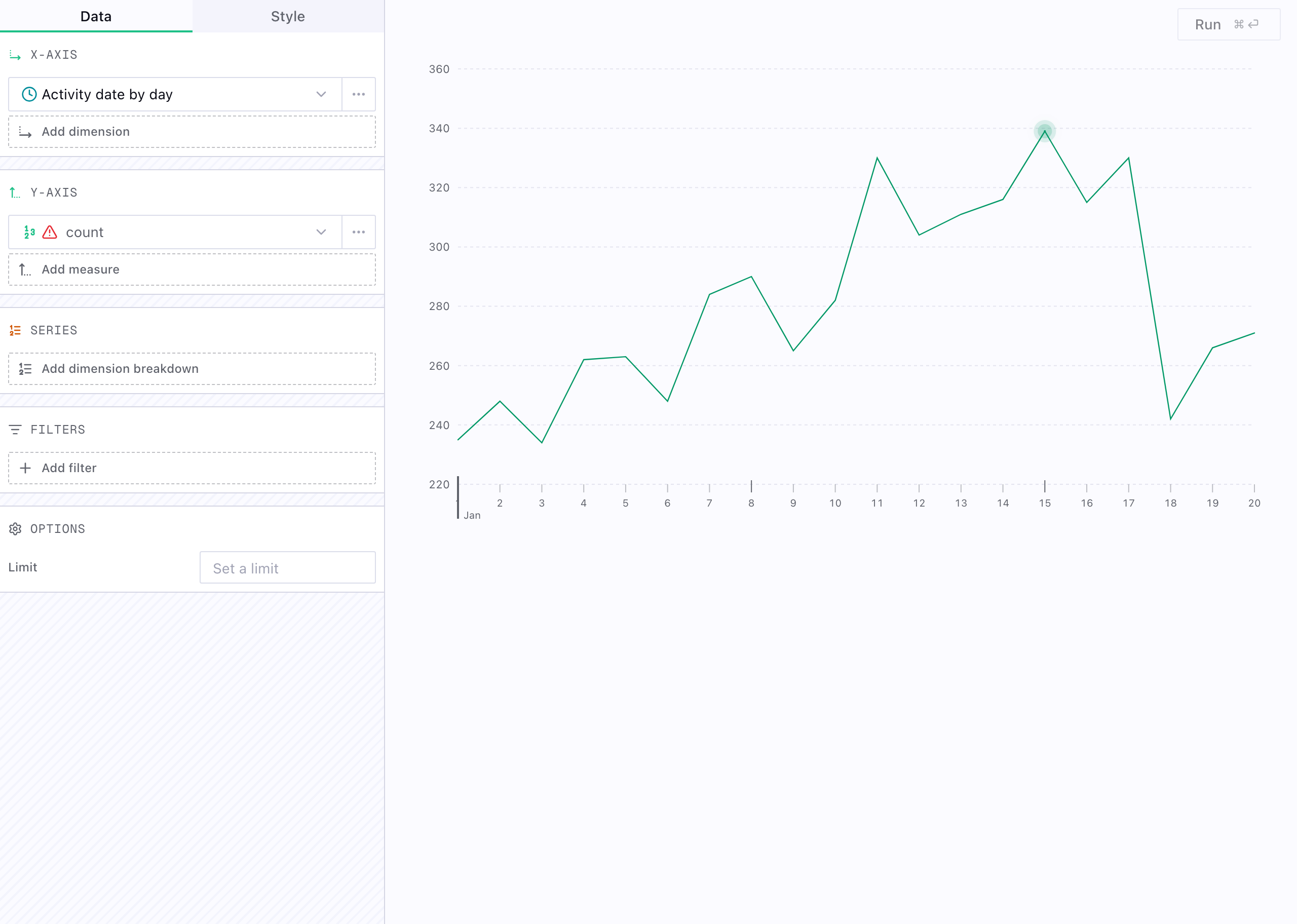
Semantic insights query semantic models using business-friendly metrics and dimensions—no SQL required. Define models, measures, and dimensions in the Semantic Layer, then pick them in the insight builder to chart KPIs and reports.
Best for:
- Business metric reporting
- KPI dashboards
- Cross-functional analytics
- Model-based queries
Example use cases:
- "What's our monthly recurring revenue by region?"
- "Show customer acquisition cost by marketing channel"
- "Track product adoption metrics over time"
2. SQL Insights
Execute custom SQL queries using DuckDB dialect for complete flexibility in data analysis.
Best for:
- Complex custom queries
- Ad-hoc analysis
- Advanced calculations (window functions, CTEs)
Capabilities:
- Full DuckDB SQL dialect support
- Cross-catalog federated queries
- Advanced analytics functions (window functions, CTEs, recursive queries)
- Configurable variables that viewers can change without editing the SQL
- Complete query flexibility
Use cases:
- Custom time-series calculations with specific business rules
- Complex multi-source joins (events + CRM + revenue data)
- Advanced grouping analysis with custom time windows
- Performance analysis with moving averages and percentiles
Move insight definitions between environments
Choose Copy definition from an insight menu to copy its portable JSON definition. Create an insight with Import insight, paste the definition, review the preview, and save it in the current environment.
Definitions include the insight title, description, query, visualization, variables, and builder settings. They do not copy source data or grant access to catalogs, so verify that referenced catalogs and fields exist in the destination environment.
Tasks on insights
Attach Tasks to insights to monitor them on a schedule:
- Trend detection: get notified when metrics change significantly
- Anomaly alerts: receive notifications when data deviates from patterns
- Scheduled reports: generate periodic summaries
Tasks send Notifications when they find something noteworthy.
Creating Insights
- Navigate to Insights
- Click New insight
- Choose Semantic or SQL
- Configure the query and chart
- Save and optionally attach a Task for monitoring
Learn More
- Dashboards: combine insights into shared layouts
- Tasks: scheduled monitoring on insights and other contexts
- Notifications: notifications from tasks on insights
- Memories: knowledge tasks build to improve monitoring over time
- Semantic Layer: define metrics, dimensions, and model structure for semantic insights
- Product Analytics query data: behavioral analysis over tracked product events
- Ask Agent: ask natural-language questions about your data
- Lakehouse: query and connect data to your lakehouse