Snowflake
You can connect your Snowflake database to Altertable to query and analyze your data.
Prerequisites
Before connecting Snowflake to Altertable, you'll need to configure your Snowflake network policy to allow connections from Altertable.
Update your Snowflake network policy to include Altertable's egress IP address in the allowed list:
Altertable Egress IP: 91.99.4.175
Example: Creating a Network Policy
You can create a network rule and network policy to allow Altertable's IP address:
-- Create a network rule for Altertable's IPCREATE NETWORK RULE altertable_network_ruleMODE = INGRESSTYPE = IPV4VALUE_LIST = ('91.99.4.175');-- Create a network policy that uses the network ruleCREATE NETWORK POLICY altertable_policyALLOWED_NETWORK_RULE_LIST = ('altertable_network_rule');-- Apply the policy to your accountALTER ACCOUNT SET NETWORK_POLICY = altertable_policy;-- Or add the rule to an existing policyALTER NETWORK POLICY your_existing_policyADD ALLOWED_NETWORK_RULE_LIST = ('altertable_network_rule');
This ensures that Altertable can establish connections to your Snowflake account. Refer to Snowflake's network policy documentation for more details on managing network policies.
Connecting to Altertable
To add a new Snowflake connection:
- Navigate to the Connections section in the dashboard
- Click New connection
- Select Snowflake as the engine
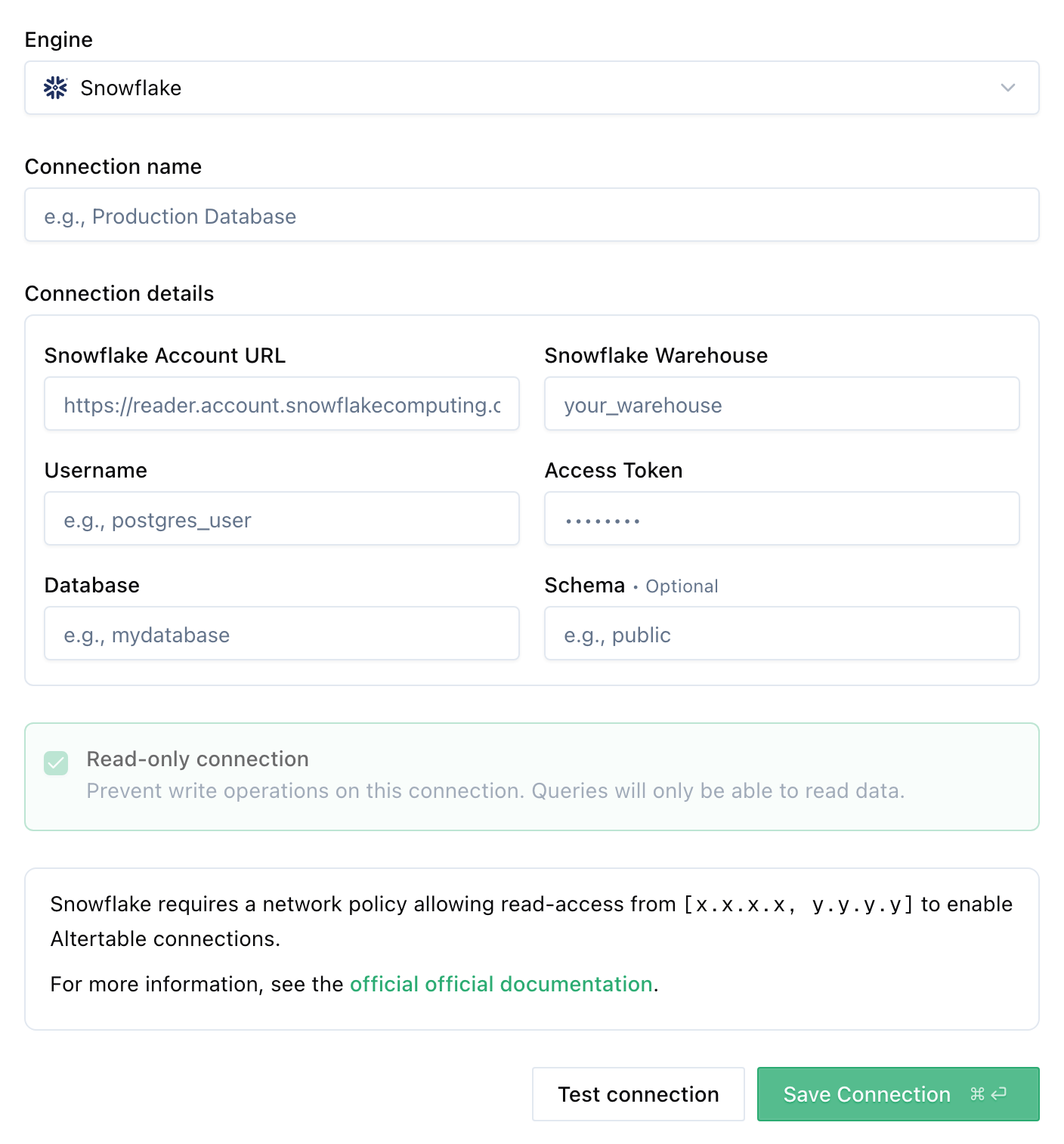
- Fill in the connection details:
- Snowflake Account URL: Your Snowflake account URL (learn how to find your account URL)
- Snowflake Warehouse: The warehouse to use for queries (learn more about warehouses)
- Username: Your Snowflake username
- Access Token: Your Snowflake access token
- Database: The name of the database to connect to
- Schema (optional): The name of the schema to connect to
- Click Save Connection
Once connected, you can start querying your Snowflake database through Altertable's SQL engine.