BigQuery
You can connect your BigQuery database to Altertable to query and analyze your data.
Prerequisites
Before connecting BigQuery to Altertable, you'll need to configure your Google Cloud project:
1. Enable the BigQuery API
Enable the BigQuery API within your Google Cloud project.
2. Check Organization Policies
Ensure your organization doesn't have the constraints/iam.disableServiceAccountKeyCreation policy enforced:
# Check at project levelgcloud resource-manager org-policies describe constraints/iam.disableServiceAccountKeyCreation --project=PROJECT_ID# Or check at organization levelgcloud resource-manager org-policies describe constraints/iam.disableServiceAccountKeyCreation --organization=ORG_ID
If enforced, you can disable it with:
gcloud resource-manager org-policies disable-enforce constraints/iam.disableServiceAccountKeyCreation --project=PROJECT_ID
3. Create a Service Account
Create a service account (learn how to create and download a service account key) and grant it the following three roles:
roles/bigquery.dataViewerroles/bigquery.jobUserroles/bigquery.readSessionUser
If you cannot grant the roles, ensure your admin user has the orgpolicy.policyAdmin role:
gcloud organizations add-iam-policy-binding ORG_ID \--member="user:YOUR_ADMIN_USER_EMAIL" \--role="roles/orgpolicy.policyAdmin"
Grant missing roles with:
gcloud projects add-iam-policy-binding PROJECT_ID \--member="serviceAccount:SERVICE_ACCOUNT_NAME@PROJECT_ID.iam.gserviceaccount.com" \--role="THE_MISSING_ROLE"
Validate the roles with:
gcloud projects get-iam-policy PROJECT_ID \--flatten="bindings[].members" \--filter="bindings.members:serviceAccount:SERVICE_ACCOUNT_NAME@PROJECT_ID.iam.gserviceaccount.com" \--format="table(bindings.role)"
Connecting to Altertable
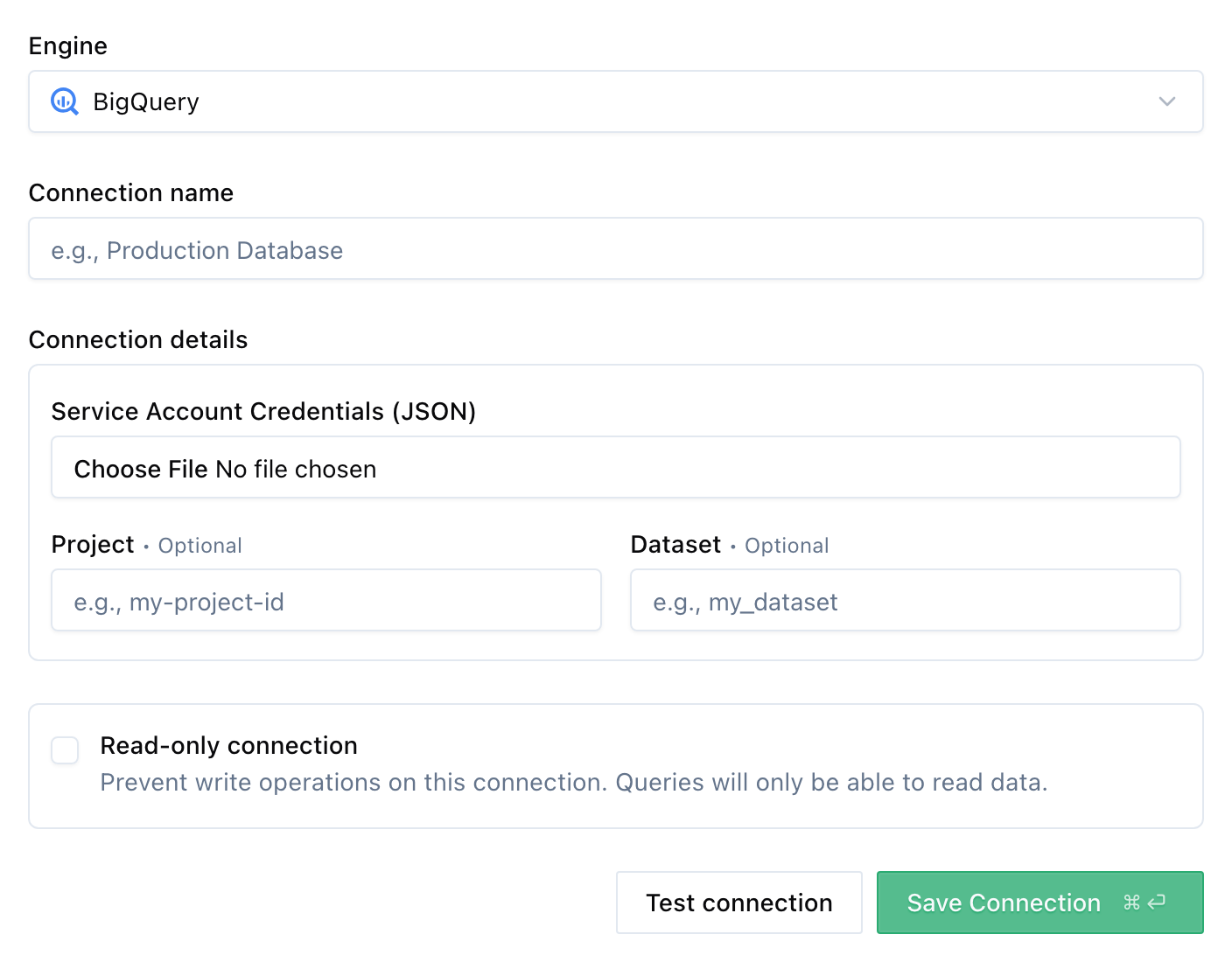
To add a new BigQuery connection:
- Navigate to the Connections section in the dashboard
- Click New connection
- Select BigQuery as the engine
- Fill in the connection details:
- Name: A descriptive name for your connection
- Service Account Credentials: Upload your service account JSON key file
- Click Save Connection
Once connected, you can start querying your BigQuery database through Altertable's SQL engine.